
Before❌
Scattered source material
Important ideas are scattered across documents, folders, and separate revision tools.
The ResultMore time is lost finding, rewriting, and reconnecting material.
Feature / Notes
Sowvia notes are designed for studying, not just typing. They become the source material for quizzes, flashcards, and planning.
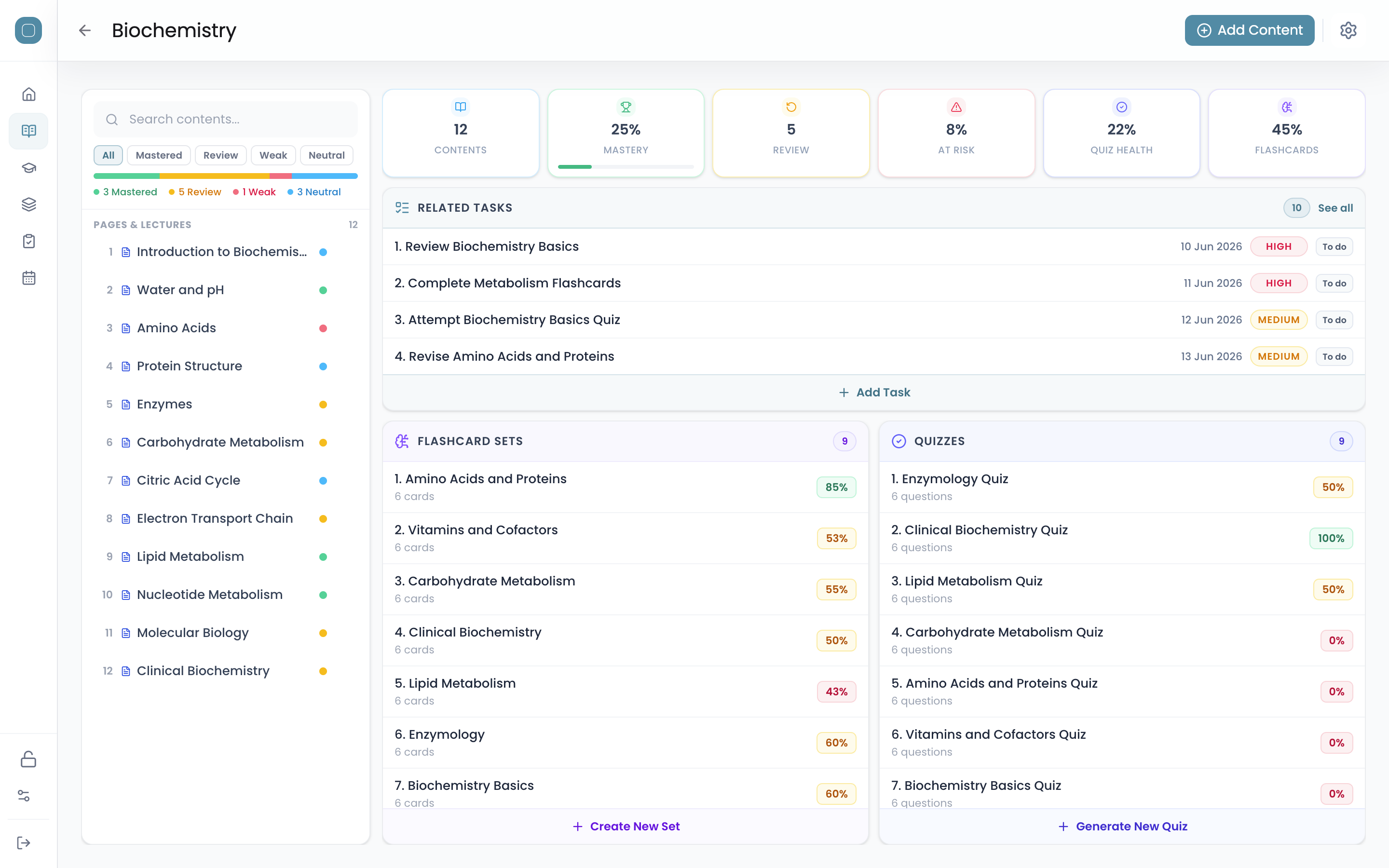
Notes matter when they do more than store information. Sowvia keeps your material structured so it can flow into recall, quizzes, flashcards, and planning without rebuilding your study system each time.
Important ideas are scattered across documents, folders, and separate revision tools.
Your notes stay organized and become reusable source material for active study.
Feature Overview
Every note has a dashboard that shows its linked quizzes, flashcard decks, tasks, and status at a glance — so you always know what's been built from it and what still needs attention.
How It Works
Capture, structure, review, and reuse your notes without rebuilding the workflow each time.
Place each note inside the right workspace and subject from the start.
Use document pages for structure or canvas pages for diagrams and visual planning.
Mark notes as weak, review, neutral, or mastered to guide the next pass.
Turn a note into quizzes, decks, or tasks while keeping everything linked.
Why It Works
Workspaces and topic folders keep notes organised without extra overhead.
Notes hold diagrams, PDFs, and media in one place, so context is easier to keep.
AI turns longer notes into usable study material faster.
Per-note status tags make it easier to see what still needs another pass.
Connect notes to recall, planning, and analytics in one study system built around your real material.